The free forums are no longer in use. It remains available as read-only archive.

 Log In


7:58 am

May 11, 2011
 Offline


Hi,
I use XCloner for a bigger website and since today everything was OK. But now when I will make a Backup with XCloner, everything goes right ... but not the size of the backup. The size should be about 500mb. But now it's only about 28mb.
XCloner only backup the "administrator" folder and the "backups" (in administrator) folder (but no files). And it safes the files in the root. All other files and folders weren't saved.
We had the problem, that the webuser for the files was the wrong one ... a wwwrun problem ... our provider changed the user to the right one. Now Joomla! works completely fine and we can install extensions. But now XCloner seems to have a problem.
I uninstalled it already and installed it again. But that didn't helped.
Have you an solution for our Problem?
10:05 am

September 26, 2010
Offline


Have you checked the disk space available?
Secondly, is this file administrator/backups/perm.txt present inside the backup archive, if so, can you open it and see if all your site files are there? If not, then somehow XCloner is not including them, either they have been excluded or it's unable to read them
Ovidiu
8:07 am
May 11, 2011
Offline
Hi Ovidiu,
thx for your quick help!
Disk Space is enough available (20GB).
In the backup-file there isn't a perm.txt in that directory. Only a index.html.
Have you a other solution for me? Every Backup is only 27,45 MB.
The only change we did was that the webuser for the files changed from "nobody" to the ftp-main user. Can this be the problem?
8:33 am
September 26, 2010
Offline
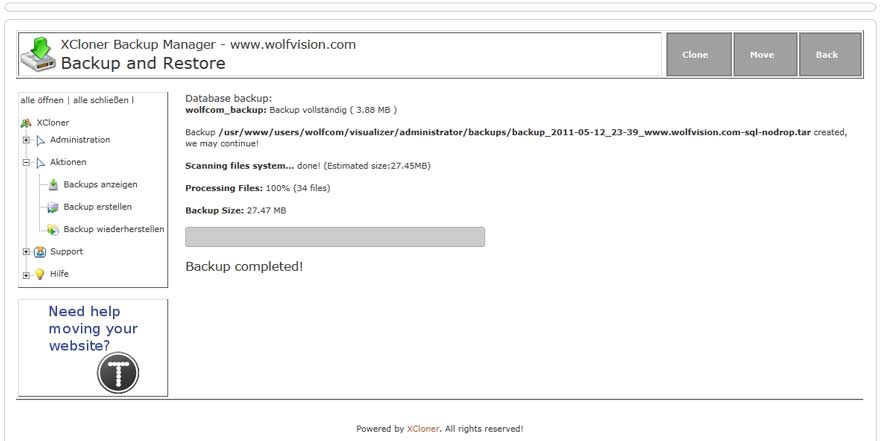
Could you attach here a screenshot after your Generate Backup screen with the success message?
And yes, if the files ownership is not correct and XCloner is unable to read those files(apache user), then they won't be included in the backup
Ovidiu
3:44 am
May 11, 2011
Offline
OK here is the screenshot:
5:27 am
September 26, 2010
Offline
Seems to look alright, however if you administrator/backups/perm.txt file isn't being added in the backup archive, then definately something is wrong there as that is a core file in the process, same goes for the database-sql.sql file. The 34 files processed are a result of reading that file, could you post here a screenshot of your XCloner Config first tab as well as the Info tab?
Have you tried checking if the files ownership might be affecting the backup process result? And finally, did you exclude anything when generating the backup?
Ovidiu
10:19 pm
May 11, 2011
Offline
OK here are the next screenshots:
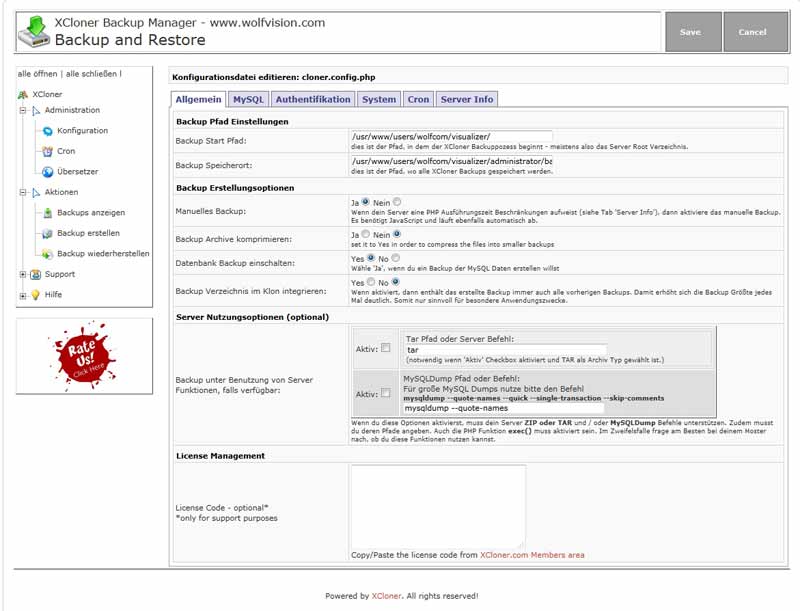
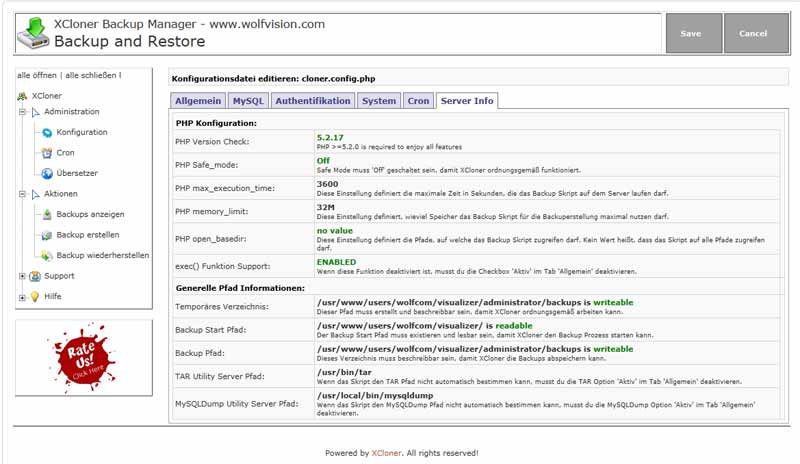
I'm not able to change the ownership of the files ... this can only our provider. But I think this might be the problem. Because before this changings, the backup runs perfectly.
I hope we find a solution.
5:21 am
September 26, 2010
Offline
I would suggest then to talk to your provider and see if they can fix the files ownership, there isn't much XCloner can do here since it's not allowed to read files by the system...
Ovidiu
5:01 am
May 11, 2011
Offline
Hi Ovidiu,
thx very much for your help!
But we alreade have spoken with our provider to change the ownership of the files before this problem appears. We had the problem, that we weren't able to install extensions in joomla!. Our provider told us, that the files ownership is "nobody" and they will change that to our ftp-admin-user name.
After that we were able to install extensions. But now we can't to any backups ...
Which would than be the right ownership to solve both problems? Do you know that?
The server runs with apache2handler. The provider can't change that for that joomla! installation.
9:53 am
September 26, 2010
Offline

Usually, the user running apache(and so XCloner) on a server is "nobody", so it needs to have reading permissions to the files/folders owned by other users like your ftp user. This is an internal server issues you need to address with your hosting support, usually it should be no problem reading the files if it's allowed
Ovidiu
 All RSS
1 Guest(s)
